
The Encounter's Helix Delay Engine: What Is It? How Does it Work?
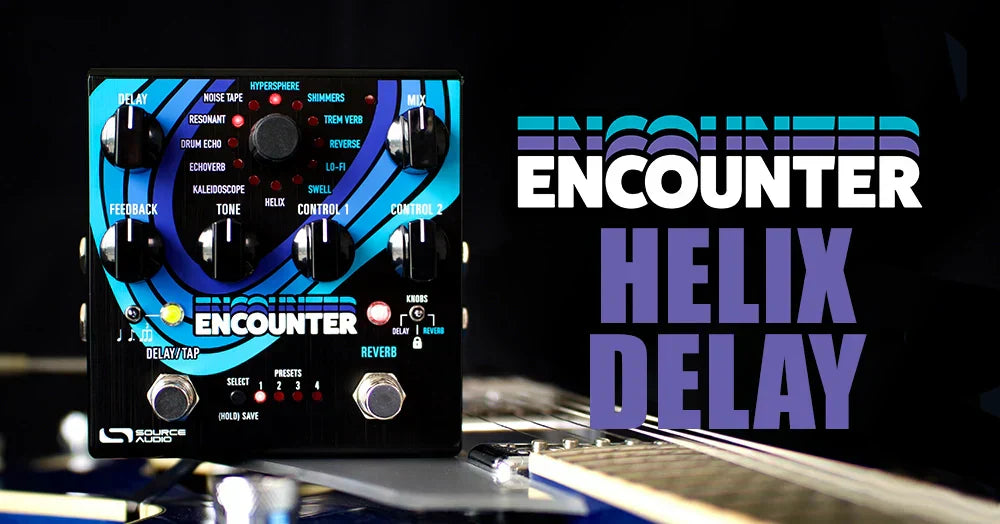
When we were deciding which effects to include in the Encounter Ambient Delay+Reverb there was one thing that was never in question: the Helix Delay had to be in there. Helix first appeared in 2015 with the release of the Nemesis Delay, and from the very beginning it became a favorite among ambient guitarists. Helix's angelic effect has an immersive, ethereal quality that is completely unique and works beautifully in many different contexts.
At its heart, Helix is a delay effect, but the sounds it creates extend far beyond the echoing tones you associate with delay. The classic Helix sound (the version that originally appeared in the Nemesis Delay) takes its delay signal, reverses it, shifts it up an octave, and compounds the pitch shift. "Compounding" means that each time the delay signal passes back through the processor, it jumps another octave higher, creating an upward spiral that continues to rise until it disappears beyond the limits of human hearing.
As with most of the effects in Encounter that originated in earlier pedals like the Nemesis Delay and Ventris Dual Reverb, the Helix Delay includes several new tricks not available in the original version. The updated Helix lets you access different pitch intervals directly from the pedal, including an octave down, unison, and a fifth above or below unison. It also allows you to run the delay repeats in reverse or forward. The video below is a full knob-by-knob tour of the Helix engine in Encounter.
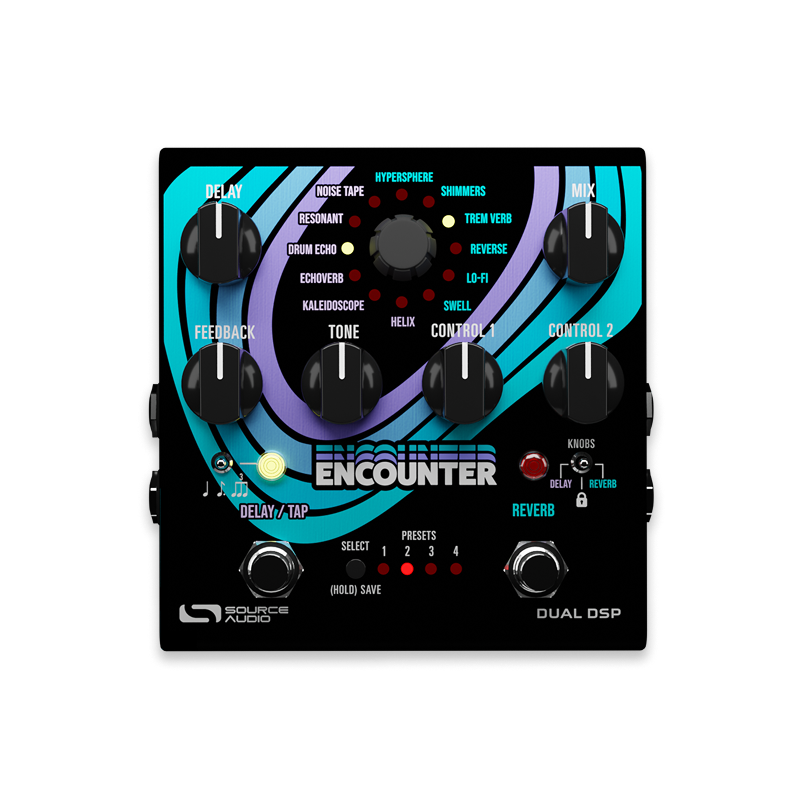
The Helix engine creates remarkably complex sounds, but dialing in inspiring tones is surprisingly easy. Below is a knob-by-knob guide to navigating Helix with Encounter's onboard controls.
DELAY: The Delay knob adjusts the amount of time between your dry signal and the first delay repeat. The Delay Time can also be adjusted with the DELAY/TAP footswitch, just tap this switch in time with your band to perfectly sync up your delay repeats.
FEEDBACK: Adjusts the number of repeats. With the knob fully counterclockwise, Helix produces a single cycle of repeats. Because Helix is a multi-tap delay, even this minimum setting generates a brief cascade of echoes. Increase the Feedback control to add more repeats, eventually pushing the effect into self-oscillation just beyond the 3 o'clock position.
TONE: A high pass filter applied only to the wet signal. Turn this knob to the left for darker repeats and to the right for a brighter sound.
CONTROL 1: Adjusts the pitch of repeats. This knob is not continuous, it contains five different regions. Please keep in mind that the Neuro App has a menu that allows you to select any pitch interval you wish. Pitches range from two octaves plus a 5th above unison, all the way down to two octaves plus a 5th below unison. The pitch intervals accessible with the knob are as follows:
- Region #1: (All the way to the left on the knob) One octave down.
- Region #2: (9 to 11 o'clock on the knob) A perfect 5th below unison.
- Region #3: (around 12 o'clock) Unison.
- Region #4: (1 to 3 o'clock) A perfect 5th above unison.
- Region #5: (All the way to the right) One octave up.

CONTROL 2: Adjust the direction and compounding of the repeats. Unlike the original Helix Delay in the Nemesis, the new Helix allows you to run the repeats in reverse or forward. It also allows you to remove the pitch compounding so that the delay doesn't continue to rise in pitch after each subsequent trip through the processor. This knob is also divided into regions:
- Region #1: (All the way to the left on the knob): Reverse and compounded.
- Region #2: (Between 9 and 12 o'clock on the knob): Reverse and not compounded.
- Region #3: (Between 12 and 3 o'clock): Forward and not compounded.
- Region #4: (All the way to the right): Forward and compounded.
Of course it doesn't end there. The Neuro App offers a ton of additional options for the Helix Delay. Check out our Neuro Deep Dive video on the Encounter's Helix engine with Source Audio engineer Grady Thomas:


Pedals in this Article
Leave a comment
This site is protected by hCaptcha and the hCaptcha Privacy Policy and Terms of Service apply.