
What's New in Neuro?: The Latest Neuro 3 Updates.
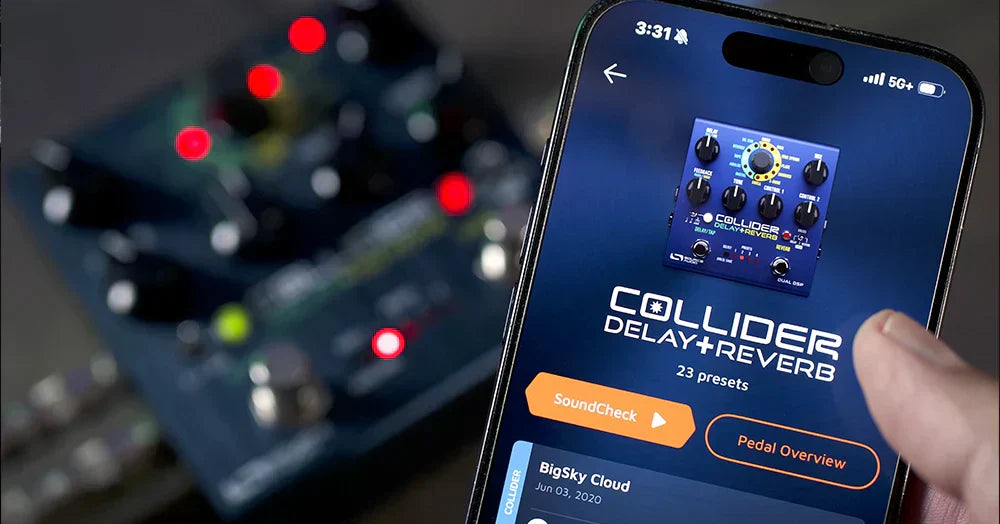
Good news, everybody! The latest Neuro 3 App update is now live for iOS and Android (version 3.6.3), as well as macOS and Windows (version 3.0.32). This release brings a significant boost in making precise parameter adjustments in both mobile and desktop versions.
1. Editor Range Precision Settings
You can now choose between 0–100% or 0–254 parameter ranges, giving you finer control over every adjustment.
Here is how it to set change the Editor Range Precision feature:
Step 1. Download the Neuro 3 Updates > sign in to your account > go to your Account Profile and select the 3-dot icon in the top right corner.
Step 2. Select "Settings" (gear icon) - this will open up the Editor Range Precision options.

Step 3. In Settings select either "Basic" (0 - 100%) or "Extended" (0 - 254).

By selecting Extended Mode your parameter range goes from 0 - 100% up to 0 - 254, giving greater detail within the range of each parameter.
2. Parameter + and - Buttons
In the mobile version of Neuro, we’ve added + and – buttons to every parameter. Press and hold any virtual knob in the Sound Editor to open its dedicated parameter controller. From there, you can now slide the value up and down directly on the meter, use the + and – buttons to adjust one step at a time, or tap the numeric value field to manually enter a setting.

3. New Modulation Shape Graphics
We’ve added new modulation shape graphics across our modulation pedals, including the Gemini Chorus, Lunar Phaser, Mercury Flanger, and Vertigo Tremolo. Now, when you hover over the modulation knob, you’ll see the LFO wave shapes that you can morph through directly with the control.

We’re always working to make Neuro better. If you have suggestions or run into any issues, just shoot us an email at contact@sourceaudio.net — we’d love to hear from you.
More

Tyler Larson (a.k.a. “Music Is Win”) and Jared James Nichols check out the "Pony" preset for the C4 Synth.
Source Audio is 20 years old. Let's take a walk down memory lane and explore the complete history of the company.
Leave a comment
This site is protected by hCaptcha and the hCaptcha Privacy Policy and Terms of Service apply.